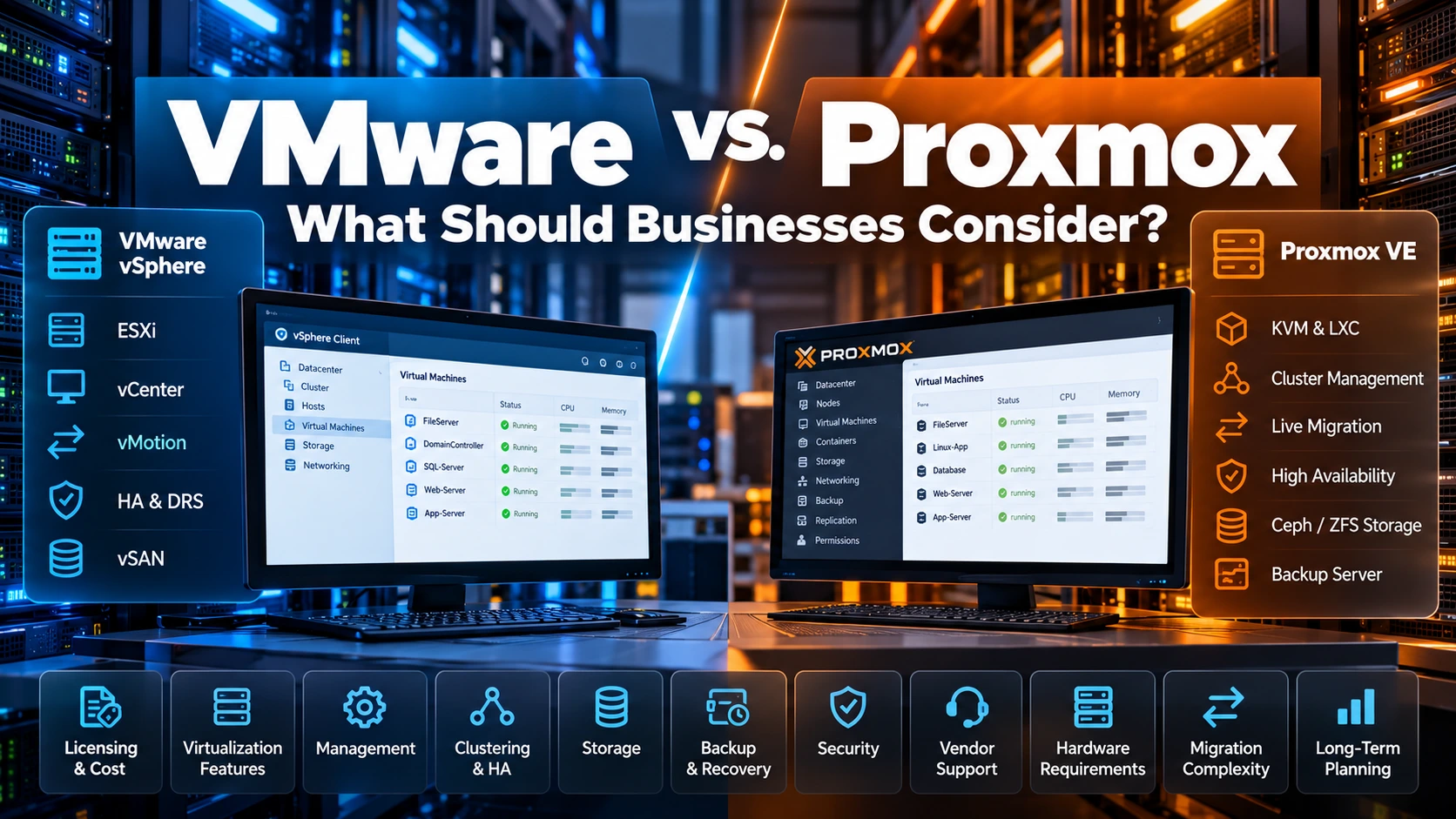
VMware vs. Proxmox: What Should Businesses Consider?
Your VMware renewal comes in higher than expected, and someone suggests Proxmox. It's a reasonable option to investigate—but the licensing bill is only part of the decision. Compare VMware vSphere and Proxmox VE across management, clustering, storage, high availability, backup, security, support, hardware, and migration before deciding which platform makes sense for your business.
Your company has been running VMware for years.
There are three physical hosts, several Windows Server virtual machines, a couple of Linux application servers, a database, shared storage, and a backup system that runs every night.
Everything works.
Then the latest VMware renewal proposal arrives.
Finance asks:
“Why are we paying this much just to run virtual machines?”
IT responds:
“We should look at Proxmox.”
Operations wants to know whether employees will notice a difference.
And management asks the question that actually matters:
“If we switch, what are we saving—and what are we taking on?”
Both VMware vSphere and Proxmox Virtual Environment can run production virtual machines on physical servers. VMware provides an established commercial virtualization ecosystem, while Proxmox offers an open-source, Linux-based platform with commercial support options. The right choice depends on licensing, storage, backups, application compatibility, staff experience, security, and migration risk.
The cheapest virtualization license is not necessarily the cheapest infrastructure to operate.
Here's what businesses should evaluate before deciding.
First, What Is Server Virtualization?
A business doesn't necessarily need one physical server for every application.
Virtualization allows one physical computer to run multiple virtual machines, commonly called VMs.
Each VM behaves like a separate computer with its own operating system, allocated resources, and applications.
For example, one physical server might run:
Windows Server for business files
Linux for a web application
Windows Server for an accounting application
Linux for a database
The software that manages these virtual machines is called a hypervisor.
It controls access to the underlying CPU, memory, storage, and networking.
That doesn't mean resources are unlimited or every VM is perfectly isolated from every possible host failure.
The physical hardware still determines how much capacity is available.
What Is VMware vSphere?
VMware vSphere is an enterprise virtualization ecosystem built around VMware ESXi and related management technologies.
VMware ESXi
ESXi is the hypervisor installed on physical hosts.
It runs virtual machines.
VMware vCenter
vCenter provides centralized administration for supported VMware hosts, clusters, and related infrastructure.
VMware vMotion
vMotion supports moving running VMs between compatible hosts under supported conditions.
VMware vSphere HA
High Availability provides automated VM recovery and restart behavior for certain infrastructure failures when the environment is appropriately designed and configured.
VMware DRS
Distributed Resource Scheduler helps manage VM placement and resource balancing in supported VMware clusters.
Availability of individual capabilities depends on the deployed product, edition, version, and commercial entitlement.
A small VMware deployment and a fully integrated VMware Cloud Foundation environment aren't identical.
What Is Proxmox VE?
Proxmox Virtual Environment, commonly called Proxmox VE, is an open-source virtualization platform based on Linux technologies.
It combines several components into an integrated management environment.
KVM
Kernel-based Virtual Machine is the Linux virtualization technology used for full virtual machines.
QEMU
QEMU provides machine emulation and virtual-device functionality used with the virtualization environment.
LXC
Linux Containers allows supported Linux workloads to run in operating-system-level containers sharing the host kernel.
LXC containers are not the same as full VMs.
A Windows Server VM does not simply become an LXC container.
Integrated Management
Proxmox provides a web interface, command-line tools, and REST APIs for managing hosts, VMs, containers, clusters, networking, storage, and backup.
Current Release
As of October 30, 2026, the current major release verified for this article is Proxmox VE 9.2, released May 21, 2026.
Version 9.2 includes improvements to dynamic workload balancing, software-defined networking, and CPU model management.
Source: Proxmox VE 9.2 Release
VMware and Proxmox Have Different Architectures
At a basic level, both run virtual machines on physical hardware.
But their management and supporting systems differ.
Typical VMware Environment
Physical servers
↓
ESXi hypervisors
↓
vCenter and applicable cluster services
↓
Virtual machines
↓
Business applications
Typical Proxmox Environment
Physical servers
↓
Proxmox VE with KVM
↓
Integrated cluster management
↓
Virtual machines and supported Linux containers
↓
Business applications
The basic result may look similar to an employee using an application.
The operational differences become much more important to the team responsible for maintaining the environment.
VMware Licensing: What Changed After Broadcom?
Broadcom acquired VMware in 2023.
Since that acquisition, VMware's commercial licensing model and product portfolio have changed substantially.
This is a major reason businesses are evaluating alternatives.
Current products include:
VMware vSphere Foundation — VVF
A subscription offering centered on the vSphere virtualization environment with associated management and operational capabilities.
VMware Cloud Foundation — VCF
A broader private-cloud infrastructure stack integrating virtualization with additional infrastructure, storage, networking, and operations components according to its specific entitlements.
These offerings aren't interchangeable.
A company should review what its actual subscription includes before comparing costs.
VMware Now Uses Physical-Core-Based Licensing for VVF and VCF
Broadcom's current guidance describes licensing based on the physical CPU cores in the ESXi hosts being licensed.
A key requirement is a minimum of 16 licensed cores per physical processor, even when the processor contains fewer cores.
Consider an illustrative example.
A physical host has:
Two installed CPUs
Eight physical cores per CPU
Under the applicable 16-core minimum, the licensing calculation would count 32 cores for that host.
The actual commercial cost depends on the product, contract, subscription terms, and applicable pricing.
This is not a universal quote.
Likewise, additional storage entitlements and component rights depend on the bundle.
Source: Broadcom — Counting Cores for VCF and VVF
VMware Licensing in Version 9.x
There's another operational change worth discussing.
Starting with VVF and VCF version 9.0, VMware moved away from the traditional 25-character license-key workflow for those releases.
Subscription licensing is managed through VCF Operations and the relevant Broadcom business-services workflow.
Broadcom's October 21, 2026 guidance for version 9.1 also explains management-stack requirements for standalone and isolated ESXi host deployments.
That matters for businesses accustomed to independently applying a key to a single ESXi host.
It doesn't mean every older perpetual installation suddenly stops operating.
Existing entitlements, support status, and upgrade rights must be evaluated separately.
Source: Broadcom — Licensing Standalone ESXi Hosts in VCF/VVF 9.1
Before approving a renewal, make sure IT and Finance are comparing the actual current contract—not a licensing model someone remembers from five years ago.
Proxmox Licensing Works Differently
Proxmox VE is open-source software.
Its core virtualization features are available without purchasing a traditional per-core feature license.
That includes capabilities such as:
Virtual machines
Containers
Clustering
Live migration
High availability
Supported storage integrations
But operating a Proxmox environment still costs money.
The company needs physical servers, networking, storage, backups, monitoring, administration, and possibly commercial support.
Proxmox Commercial Subscriptions
Proxmox offers commercial subscription tiers.
These provide access to its Enterprise Repository and different support entitlements.
Current standard subscriptions are calculated primarily using occupied physical CPU sockets, not CPU-core counts.
If a host has two populated CPU sockets, the subscription calculation generally counts two sockets.
The number of cores in those populated CPUs doesn't change that socket count.
Subscription requirements also apply per node.
Source: Proxmox VE Subscription Pricing
Proxmox Support Has Changed in 2026
This is important because older comparisons often say Proxmox does not offer direct 24/7 enterprise support.
That statement is now outdated.
Proxmox announced expanded global support on September 2, 2026, with 24/7 Premium coverage beginning October 19, 2026.
The company also announced a North American subsidiary supporting customers across regional business hours.
However, not every tier provides the same coverage.
Premium, Standard, Basic, and Community have different terms, entitlements, ticket limits, and response commitments.
As of this article's verification date, the standard plan documentation still distinguishes existing Standard coverage from its planned 24/7 expansion.
A guaranteed first response is not the same as a guaranteed problem resolution.
Source: Proxmox — Enterprise Support Expansion
VMware vs. Proxmox: Which Costs Less?
Licensing may be a major difference.
But licensing is only one part of the business calculation.
VMware Cost Factors
Consider:
Physical cores
Licensing minimums
Product bundle
Existing contracts
Subscription renewal
Support
vSAN or other relevant components
Management tooling
Hardware
Administration
Proxmox Cost Factors
Consider:
Physical CPU sockets
Number of hosts
Subscription tier
Enterprise repository
Direct or partner support
Storage design
Backup infrastructure
Engineering
Training
Monitoring
Migration
The company should also include costs that exist regardless of hypervisor.
Those include:
Power
Cooling
Networking
Hardware replacement
Security
Backup storage
Disaster recovery
Operating-system licenses
Application support
Proxmox being open source doesn't mean operating it costs nothing.
And VMware having a higher subscription cost in a particular environment doesn't automatically justify a migration.
Compare Total Cost of Ownership
Total cost of ownership, or TCO, means the complete financial impact of a technology decision over a chosen planning period.
That includes more than invoices.
Consider a hypothetical company with three virtualization hosts.
It currently operates:
Windows Server VMs
Linux VMs
SQL databases
A storage array
A backup platform
Several critical applications
Option A: Continue With VMware
Review:
Actual renewal
Existing automation
Existing support
Current backup licensing
Staff expertise
Upcoming hardware refresh
Product lifecycle
Option B: Migrate to Proxmox
Review:
Commercial subscription
New management procedures
Storage architecture
Backup redesign
Migration engineering
Training
Third-party support
Testing and rollback
Long-term operations
A switch might reduce recurring hypervisor licensing expenses.
But if it requires replacing supported backup software, retraining administrators, redesigning storage, and changing vendor-supported application configurations, those costs belong in the comparison.
The same applies to remaining on VMware.
If existing licensing commitments, hardware compatibility, or support requirements change significantly, the cost of staying may also increase.
Management: vCenter vs. Proxmox Web Administration
Both environments provide graphical administration.
But the workflow differs.
VMware Approach
VMware environments commonly use vCenter and the vSphere Client for centralized management.
Administrators manage:
Hosts
VMs
Datastores
Clusters
Networks
Templates
Permissions
Performance
Lifecycle operations
Proxmox Approach
Proxmox offers an integrated web interface for managing nodes, clusters, VMs, containers, storage, networking, and backup.
Many functions are also accessible through CLI and REST API.
What Matters to the Business?
The team needs to be able to:
Create and restore VMs
Apply updates
Troubleshoot storage
Perform maintenance
Monitor host capacity
Manage privileged access
Recover from failure
If the team knows VMware inside and out, that experience has real value.
If the team already manages Debian, Linux storage, KVM, and networking confidently, Proxmox may be a comfortable environment.
Neither interface is automatically easier for every IT team.
What About Multiple Clusters and Locations?
Central management becomes more important as the environment grows.
A company with one host has different requirements from a business with several sites and dozens of clusters.
VMware offers established multi-host and enterprise infrastructure management capabilities within its product ecosystem.
Proxmox provides integrated cluster management, while its broader ecosystem also includes Proxmox Datacenter Manager for managing multiple virtualization environments.
The exact features, supported versions, and operating model should be reviewed.
A feature being available doesn't mean the deployment architecture is identical.
Clustering Is Not the Same as High Availability
A cluster is a group of hosts working together for supported infrastructure operations.
Clustering can support:
Centralized administration
Live migration
Resource management
Failure recovery
Coordinated maintenance
But forming a cluster does not automatically make every VM highly available.
Storage, network design, quorum, capacity, and failover configuration still matter.
Live Migration: What Both Platforms Can Do
Live migration allows a running virtual machine to move between compatible hosts under supported conditions.
This helps with maintenance and resource management.
VMware
vMotion supports migration between compatible VMware hosts according to the requirements of the deployed environment.
Proxmox
Proxmox VE supports live migration between compatible Proxmox nodes.
Requirements may involve:
CPU compatibility
Network configuration
Storage accessibility or transfer
Guest behavior
Cluster design
The Critical Distinction
Live migration inside VMware is not the same thing as moving a running VMware VM into Proxmox.
Cross-hypervisor migrations involve different virtual hardware and may require conversion, guest changes, and planned downtime.
Don't budget for zero downtime simply because both platforms advertise live migration.
High Availability: What Happens When a Host Fails?
High availability, or HA, is an architecture designed to reduce disruption during certain failures.
In both VMware and Proxmox environments, supported HA configurations can restart affected VMs on other hosts.
That is useful.
But restarting a failed VM isn't the same as keeping an application continuously available.
If a VM crashes and restarts on another host, employees may still experience downtime.
For production HA, evaluate:
Multiple hosts
Sufficient spare resources
Shared or appropriately distributed storage
Networking
Cluster quorum
Fencing or failure isolation
Application recovery
Testing
A company shouldn't assume that checking an HA option guarantees business continuity.
VMware DRS vs. Proxmox Resource Scheduling
Here's a comparison that needs current information.
VMware DRS is an established workload-placement and resource-balancing capability within supported vSphere environments.
Proxmox VE 9.2 introduced a Dynamic Load Balancer as part of its Cluster Resource Scheduler capabilities.
That update uses live resource information to support workload placement decisions.
So it would be inaccurate to say Proxmox has no dynamic balancing capability.
It would also be inaccurate to claim the two systems now behave identically.
Their scheduling policies, migration behavior, automation, resource calculations, and operational maturity should be evaluated for the specific requirement.
For example, a business relying on VMware-specific DRS behavior should test whether its required placement, balancing, and operational policies can be achieved with the proposed Proxmox architecture.
Storage May Be the Biggest Migration Question
The hypervisor may not be the hardest part of a migration.
Storage often is.
A VMware environment might use:
Local disks
NFS
iSCSI
Fibre Channel SAN
NAS
vSAN
A Proxmox environment might use:
Local disks
ZFS
NFS
iSCSI
Ceph
Other compatible storage systems
Both offer multiple storage options.
But their architectures and management expectations differ.
Before proposing a migration, document:
Where VM disks live
How much usable capacity exists
How redundancy is achieved
Required throughput and latency
Snapshot behavior
Replication
Backup access
Expected growth
A VMware datastore cannot simply be assumed to work unchanged in Proxmox.
VMware vSAN
VMware vSAN is software-defined storage integrated with supported VMware infrastructure.
It can combine storage resources from compatible hosts to provide distributed storage capabilities.
But it has product-specific:
Hardware requirements
Licensing
Storage entitlements
Network requirements
Compatibility rules
Operational workflows
A business that relies heavily on vSAN needs a serious storage assessment before switching hypervisors.
Proxmox and Ceph
Ceph is an open-source distributed storage system integrated with Proxmox VE.
It can provide distributed block storage and other storage capabilities.
That makes it attractive for certain clusters.
But Ceph introduces its own infrastructure requirements.
These can include:
Suitable disks and controllers
Adequate networking
Capacity planning
Failure-domain design
Monitoring
Recovery planning
Staff expertise
Ceph isn't automatically a cheap replacement for every existing SAN.
And a small cluster isn't automatically a good Ceph architecture just because Proxmox supports it.
What About ZFS?
ZFS combines filesystem and storage-management capabilities.
Depending on the design, it provides features such as:
Data integrity checking
Snapshots
Replication
Storage pools
Redundant disk arrangements
It can be a strong option for certain workloads.
But remember:
ZFS is not a backup.
Local snapshots do not necessarily survive the loss of the host or site.
ZFS is also not a direct equivalent to Ceph.
And storage-controller compatibility matters when designing ZFS environments.
Can Proxmox Use Existing SAN or NAS Storage?
Often, depending on the device and protocol.
Proxmox supports several storage types, including NFS, iSCSI, and other supported integrations.
But that doesn't mean every VMware storage configuration can be reused without modification.
Evaluate:
Storage protocol
Vendor support
Performance
Multipathing
Snapshot behavior
Network setup
Capacity
Data migration
If the existing storage investment is substantial, this may influence the platform decision significantly.
Backup Compatibility Can Decide the Entire Project
The last thing you want is to save money on licensing and discover your backup system no longer supports your recovery requirements.
Ask:
Does the existing backup product support the destination hypervisor, at the required version, with the features the business actually uses?
Review:
VM-level backup
Application-aware processing
Incremental backups
File-level restore
Backup retention
Offsite copies
Recovery automation
Replication
Restore testing
Licensing
Do not assume VMware backup jobs can simply continue unchanged after moving to Proxmox.
Does Veeam Support Proxmox?
Yes.
As of the current Veeam documentation reviewed for this article, Veeam Backup & Replication supports specified Proxmox VE versions, including versions in the 8.2–9.2 range, through its Proxmox integration.
But feature support and requirements depend on:
Veeam version
Plug-in version
Guest OS
Backup operation
Recovery method
Storage configuration
Check the actual compatibility documentation.
“Supported” does not mean every VMware backup feature is identical under Proxmox.
Source: Veeam — Proxmox VE Platform Support
Proxmox Backup Server
Proxmox Backup Server, or PBS, is a separate backup platform designed to protect supported VMs, containers, and physical hosts.
It includes capabilities such as:
Incremental backup
Deduplication
Encryption
Integrity verification
Restore operations
It integrates closely with Proxmox VE.
This can be useful for businesses building a new Proxmox backup architecture.
But encryption must be appropriately configured and recovery keys protected.
Offsite protection and recovery testing still matter.
Source: Proxmox Backup Server
Snapshots Are Not a Complete Backup Strategy
Both VMware and Proxmox support snapshots under appropriate conditions.
Snapshots can be useful for certain rollback and maintenance operations.
But they shouldn't be treated as a universal substitute for independently protected backups.
A local snapshot may not protect against:
Complete storage loss
Site destruction
Certain ransomware scenarios
Loss of the host
Administrative deletion of the underlying storage
A sound recovery design needs the right backup copies and tested recovery procedures.
Disaster Recovery Is Bigger Than the Hypervisor
Disaster recovery means restoring essential services after a serious disruption.
The business should define:
RTO — Recovery Time Objective
How quickly the service needs to return.
RPO — Recovery Point Objective
How much recent data loss is acceptable, measured in time.
Then test the actual recovery process.
The recovery design may involve:
Alternate hosts
Offsite backups
Replication
Storage recovery
Network reconfiguration
Authentication
Application validation
Neither VMware nor Proxmox automatically provides complete disaster recovery merely by being installed.
A useful SimplyRem guide on this distinction is Backup Successful—But Can You Restore It?.
Which Platform Is More Secure?
Neither platform is automatically more secure simply because of its licensing model.
VMware being proprietary doesn't guarantee better security.
Proxmox being open source doesn't guarantee better security.
Security depends on the actual deployment.
Review:
Hypervisor patches
Administrative access
MFA
Role-based permissions
Management-network isolation
Host hardening
API credentials
Logging
Monitoring
Backup security
Vulnerability response
The hypervisor management interface should not be casually exposed to the public internet.
Administrative access should be restricted to appropriately protected management paths.
Security depends on architecture, configuration, patching, access control, and operations—not simply whether source code is public.
Identity and Administrative Access
VMware and Proxmox both have identity and permissions capabilities, but their integrations and behavior differ.
Relevant controls include:
Local authentication
Directory integration
RBAC
MFA
Privileged access
API tokens
Audit activity
Proxmox documents authentication sources including PAM, its integrated authentication service, LDAP, Active Directory, and OpenID Connect.
Actual identity design should consider organizational policy and required support.
Moving hypervisors should never leave an administrator's access governed by an undocumented shared account.
Windows Server Licensing Doesn't Disappear
This is easy to misunderstand.
If a business moves Windows Server VMs from VMware to Proxmox, it still has Microsoft licensing obligations.
Windows Server 2025 Standard and Datacenter are core-licensed under relevant Microsoft terms.
Microsoft offers different virtualization rights depending on:
Edition
Physical-core or eligible per-VM licensing approach
License and Software Assurance/subscription status
Number of VMs
Other applicable requirements
When licensing by physical cores, Microsoft specifies minimums that are different from VMware's licensing requirements.
These are separate licensing systems.
Changing the hypervisor doesn't automatically eliminate Windows Server licenses, CALs where required, or application licenses.
Source: Microsoft Windows Server 2025 Licensing Guidance
Windows Guests Need More Than a Successful Boot
A Windows VM moved to Proxmox may require reviewing:
Storage controllers
VirtIO drivers
Network adapters
UEFI
Secure Boot
Virtual TPM
Activation
Guest utilities
Backup agents
A VM that boots is not necessarily ready for production.
The accounting application still has to work.
Users still need to authenticate.
The database still needs to connect.
Linux Virtual Machines
Many Linux workloads can be moved between hypervisor platforms.
But compatibility isn't automatic.
Review:
Disk controllers
Network interface naming
Bootloader
Kernel/initramfs
Cloud-init
Filesystems
Service configuration
Network rules
Guest tooling
A Linux web server that starts with the wrong network interface configuration may still be unusable.
Proxmox LXC Containers
Proxmox supports LXC containers in addition to full KVM VMs.
Containers can reduce overhead for certain Linux workloads.
But they share the host kernel and have different isolation characteristics.
They're not a universal replacement for VMs.
Converting an existing Linux application to a container is an architecture decision, not an automatic migration requirement.
Hardware Compatibility Matters
A virtualization host is only useful if its hardware works properly with the chosen platform.
Review:
CPU architecture and generation
CPU virtualization support
Memory
Network adapters
Storage controllers
RAID/HBA behavior
Firmware
GPUs
Out-of-band management
Vendor support
VMware
Broadcom provides hardware and device compatibility guidance.
Hardware supported under ESXi 8 is not automatically supported under ESXi 9.
In August 2026, Broadcom specifically emphasized validating hosts, CPU generations, and I/O controllers before upgrading to VCF 9.x.
Source: Broadcom — Verify Hardware Compatibility for VCF 9.x
Proxmox
Proxmox relies heavily on Linux hardware and driver support, alongside Proxmox's documented platform requirements.
But the existence of a Linux driver does not guarantee every hardware feature, management tool, or vendor support arrangement will work as required.
Test the actual server model.
GPU and PCI Passthrough
Some environments use specialized devices for:
AI inference
Video processing
CAD
Industrial applications
Network appliances
GPU and PCI passthrough requirements can differ significantly.
Review IOMMU, firmware, GPU licensing, host drivers, guest drivers, and hardware/vendor support.
Do not assume a workload that uses a particular VMware virtual GPU configuration can be moved unchanged.
Networking Also Needs a Migration Plan
VMware environments may use:
Standard virtual switches
Distributed virtual switches
Port groups
VLANs
Physical uplinks
Other networking services
Proxmox environments commonly use:
Linux bridges
VLANs
NIC bonding
Software-defined networking
Supported Open vSwitch and related networking options
Firewall controls
Those aren't necessarily drop-in equivalents.
Moving a VM disk doesn't automatically recreate its networking configuration.
Performance: Which Hypervisor Is Faster?
There is no fair universal answer.
Performance depends on:
CPU
Memory
NUMA configuration
Storage latency
Disk controllers
Network throughput
Guest drivers
Resource allocation
CPU and memory contention
Application behavior
A well-tuned Proxmox environment can perform well.
A well-tuned VMware environment can perform well.
A badly configured environment on either platform can struggle.
Before making performance claims, test the business's actual workloads using comparable hardware and defined measurement conditions.
Resource Overcommit
Virtualization environments may allocate virtual resources beyond the available physical capacity according to their design and workload assumptions.
That can improve utilization.
But it can also cause:
CPU contention
Memory pressure
Storage bottlenecks
Application slowdown
Don't use generic overcommit ratios as a substitute for monitoring and capacity planning.
Automation and Monitoring
VMware environments commonly use APIs, PowerCLI, and various enterprise automation tools.
Proxmox offers REST APIs, CLI utilities, and integrations with automation systems.
The business should review:
Provisioning workflows
Templates
Configuration management
Backup automation
Inventory
Monitoring
Alerts
Incident response
Documentation
A feature list isn't enough.
If the current company has years of automation built around VMware, that work needs evaluation before migration.
Vendor Support Is a Business Requirement
Some businesses can tolerate a few hours of interruption while an internal engineer investigates.
Others cannot.
Review:
Direct vendor coverage
Support tier
Time zone
Severity definitions
First-response commitment
Escalation process
Partner support
Local MSP availability
Internal on-call
A California business should verify whether support covers Pacific Time business hours or its actual 24/7 operational needs.
Both VMware and Proxmox have commercial support paths.
The real question is whether the selected entitlement and operating model satisfy the company's requirements.
Third-Party Application Certification
This can be decisive.
Some enterprise software vendors approve specific deployment environments.
A vendor may require:
Supported hypervisor versions
Particular virtual hardware
Certified network appliances
Specific backup or storage configurations
Before migrating a critical workload, ask:
“Will the application vendor still support us after this change?”
Don't assume generic Windows or Linux compatibility settles product-specific support requirements.
Staff Experience Has Financial Value
Suppose your IT team has spent ten years operating VMware.
They know the management tools, failure modes, storage design, and backup procedures.
That experience can reduce operational risk.
Now consider a team comfortable with Debian, Linux networking, KVM, ZFS, and Ceph.
Proxmox may fit that team's existing skill set very well.
Training, documentation, and operating procedures should be part of the business case.
The goal is to operate the platform confidently—not merely install it.
Vendor Lock-In Exists in Different Forms
VMware may create dependencies through:
Licensing
Management tools
vSAN
Automation
Product integration
Proxmox may create dependencies through:
Storage architecture
Automation
Backup design
Engineering expertise
Support arrangements
Open source provides licensing and technical freedoms, but it does not make every migration easy.
No production infrastructure is completely free from operational dependencies.
When Staying With VMware Makes Sense
Remaining on VMware may be appropriate when:
The current environment meets business requirements.
Licensing is commercially acceptable.
Critical vendors certify VMware.
VMware-specific features are heavily used.
Existing backup and monitoring work well.
Staff are experienced with the platform.
Migration costs exceed the expected benefit.
The infrastructure has a clear support and upgrade path.
You don't need a platform migration just to prove your IT department is modern.
When Proxmox Makes Sense
Proxmox deserves serious evaluation when:
VMware renewals materially affect the business case.
The environment has manageable complexity.
Staff have Linux/KVM expertise.
Application vendors support the proposed deployment.
Hardware is compatible.
Storage can be designed appropriately.
Backup requirements can be met.
Commercial support satisfies operating needs.
A successful pilot demonstrates the expected results.
A new virtualization environment without major VMware-specific dependencies may be a particularly useful place to evaluate Proxmox.
When Neither Is the Best Option
Some businesses should also consider:
Hyper-V
Nutanix
Public cloud VMs
Managed hosting
SaaS alternatives
Application modernization
If an old application can be replaced with supported managed software, the business may not need to maintain the same virtual-server footprint.
But that decision needs its own cost, integration, and operational assessment.
Can You Migrate VMware Virtual Machines to Proxmox?
Yes, supported VMware VMs can be migrated to Proxmox.
Proxmox introduced an integrated VMware import wizard with Proxmox VE 8.2 in April 2024.
The importer can help transfer VM configurations and disks through supported workflows.
That can reduce manual conversion work.
But it isn't a guarantee that every VM can be migrated with one click.
Current source and target compatibility must be verified.
Source: Proxmox VE 8.2 Import Wizard Release
Migration Limitations That Matter
Review:
VMware source version
ESXi and vCenter API compatibility
Virtual disk format
vSAN-backed storage
Encrypted VMs
Snapshots
Guest drivers
Boot firmware
TPM/Secure Boot
Network configuration
Vendor virtual appliances
Disk size
Transfer speed
Downtime requirements
A VMware environment with complicated vSAN dependencies may require a different plan from one using ordinary NFS storage.
Don't assume an older forum post describes the current importer's complete limitations.
Verify the supported source configuration against the current Proxmox documentation.
A Windows VM Migration Example
Imagine migrating a Windows Server application.
The engineer imports the VM.
The VM starts.
But the virtual network adapter changes.
Now the server has no application connectivity.
The migration technically imported the disks.
The business application still doesn't work.
That is why testing must include:
Drivers
Networking
Authentication
Application services
Database connections
Backups
Monitoring
A successful VM import is not the same as a successful business migration.
A Linux VM Migration Example
A Linux web application is migrated successfully.
The operating system boots.
But the network interface has a different name, and the application cannot reach its database.
Again, the VM exists.
The service isn't ready.
This is an application-dependency problem, not simply a disk-conversion problem.
Plan Network and Storage Migration Separately
Review the complete environment.
Networking
VLANs
Port groups
Bridges
IP addresses
Firewall rules
DNS
Routes
VPN
Virtual MAC behavior
Storage
Datastores
Disk sizes
Disk formats
Thin/thick allocation
Snapshot dependencies
Available capacity
Performance requirements
Data consistency
Often, storage transfer and validation take more engineering effort than setting up the new hypervisor.
How Much Downtime Will Migration Require?
It depends.
Factors include:
VM size
Available transfer speed
Import method
Disk conversion
Driver changes
Application dependencies
Testing
Cutover
Don't invent a universal downtime estimate.
A migration plan should identify which systems require scheduled interruption and how business users will be informed.
Pilot Before Production
A good pilot doesn't only import an empty Linux VM.
Choose representative systems, such as:
Windows Server
Linux application
Database
File server
Network appliance
Backup and restore workload
Then validate:
Boot
Network
Authentication
Application behavior
Performance
Backup
Recovery
The pilot should be designed to reveal compatibility and operational gaps before those gaps affect users.
Don't Forget Rollback
Suppose the new VM begins accepting production transactions.
Now the team discovers a critical problem.
Can they simply start the old VM?
Not necessarily.
New data may exist only on the destination.
A rollback strategy should define:
Preservation of the source
Data synchronization
Recovery points
Decision authority
Cutover window
Conditions requiring rollback
User communication
Don't assume rollback is just clicking “Power On” on the old VM.
A Practical VMware-to-Proxmox Evaluation
Before committing, follow a structured approach.
Inventory physical hosts and VMware versions.
Review current licensing and renewal.
Measure utilization.
Identify critical applications.
Confirm application-vendor support.
Check host hardware compatibility.
Map networking.
Document storage architecture.
Review backup and disaster recovery.
Design the proposed Proxmox environment.
Compare total cost of ownership.
Test representative VM imports.
Validate business applications.
Plan cutover and rollback.
Make the decision using evidence.
A rushed hypervisor migration can cost more than the subscription the business was trying to avoid.
Different Workloads Need Different Evaluation
Small Office File Server
Focus on storage, permissions, backups, and recovery.
Windows Domain Controller
Focus on Active Directory health, DNS, time synchronization, replication, and supported migration practices.
SQL Database Server
Focus on storage latency, database consistency, vendor support, and tested recovery.
Linux Web Application
Focus on networking, storage, certificates, dependencies, and service startup.
ERP Application
Focus on vendor certification, licensing, integration, and database behavior.
Virtual Firewall
Focus on interfaces, VLANs, passthrough, failover, and cutover planning.
AI or GPU Workload
Focus on GPU hardware, firmware, driver support, passthrough or supported virtual GPU configuration, and licensing.
Each application may need a different test.
Small Business vs. Enterprise
A company with two hosts and a small number of VMs may be able to evaluate Proxmox relatively directly.
An enterprise with many clusters, specialized storage, advanced automation, and formal vendor-certification requirements has a different decision.
But size alone doesn't determine the winner.
A small company with one critical unsupported application may need to stay on its existing platform.
A larger company with the right expertise and validated architecture may find Proxmox entirely suitable.
Plan Beyond This Year's Renewal
The virtualization decision should account for:
Application growth
Hardware refresh
Storage changes
Multiple locations
Cloud plans
Backup requirements
Security policies
Staffing
Future migration flexibility
A five-year cost model can be useful, but it isn't a universal hardware replacement schedule.
Include initial deployment, ongoing operations, and the cost of the next major change.
When You Should Not Migrate
Don't move simply because the renewal is frustrating.
Postpone or reconsider migration if:
The business case is unclear.
Critical applications lack target-platform support.
Backup requirements cannot be met.
Hardware suitability is unknown.
Qualified administration is unavailable.
Recovery planning is incomplete.
Pilot testing fails.
The migration cost exceeds expected value.
Contract timing makes the project financially unattractive.
Sometimes staying with VMware is the right technical decision.
Sometimes moving to Proxmox is.
The Bottom Line
VMware and Proxmox are both legitimate production virtualization platforms.
VMware offers an established commercial infrastructure ecosystem with extensive management and integration options.
Proxmox offers a capable open-source alternative with integrated management, clustering, storage features, and increasingly broad commercial support.
But the smartest decision isn't based on which logo you prefer—or which licensing model sounds better.
It's based on:
Your workloads. Your hardware. Your storage. Your backups. Your support needs. Your people. Your operating costs.
Don't choose Proxmox simply because someone says:
“It's free.”
And don't choose VMware simply because:
“We've always used it.”
Choose the environment your business can reliably operate, support, recover, and afford.
Virtualization and Licensing CardsServer Virtualization Explained
Physical Host
↓
Hypervisor
↓
VMs
↓
Windows / Linux Applications
The hypervisor allocates physical compute resources among supported virtual workloads.
VMware Architecture
Physical Hosts
↓
ESXi
↓
vCenter / Applicable Cluster Management
↓
Virtual Machines
↓
Business Applications
Proxmox Architecture
Physical Hosts
↓
Proxmox VE + KVM
↓
Integrated Cluster Management
↓
VMs / LXC Containers
↓
Applications
VMware Licensing Card
Model: Applicable commercial VVF/VCF subscriptions primarily licensed per physical CPU core.
Minimum: 16 licensed cores per physical processor for the relevant offerings.
Important: Actual cost and entitlements depend on contract, bundle, support, and version.
Version 9.x: Centralized subscription-license workflow through VCF Operations.
Proxmox Licensing Card
Software: Open source.
Commercial subscriptions: Primarily per occupied physical CPU socket.
Available services: Enterprise repository and tier-dependent support.
Important: Features are not simply locked away for users without a paid subscription, but production operations still cost money.
Cost and TCO CardsVMware
Licensing, hardware, storage, support, backup, administration, monitoring, and future renewals.
Proxmox
Hardware, socket-based subscriptions where selected, storage, backup, support, training, migration, monitoring, and administration.
What Matters
Evaluate complete cost over an appropriate time horizon and include both operational risk and migration expense.
Management ComparisonVMware
vCenter/vSphere Client, applicable VMware operations tooling, cluster and VM administration.
Proxmox
Integrated web UI, CLI, REST API, cluster administration, and broader ecosystem options.
Evaluation
Daily workflow, operational consistency, monitoring, access management, automation, and staff expertise.
Clustering CardsVMware Cluster
Supports applicable host, VM, storage, resource, and HA operations.
Proxmox Cluster
Integrated clustering and coordinated administration with Corosync-related cluster mechanisms.
Important
Clustering doesn't automatically prove failover or application availability.
Live Migration CardsVMware vMotion
Migration of supported running VMs between compatible VMware hosts.
Proxmox Live Migration
Migration between compatible Proxmox cluster nodes.
Cross-Hypervisor Migration
Different process involving VM import/conversion and planned cutover.
High Availability CardsVMware HA
Automated VM recovery/restart behavior after certain failures.
Proxmox HA
Cluster-managed recovery and restart behavior with appropriate quorum, fencing, storage, and capacity.
Business Requirement
Test actual service recovery; restarting a VM is not zero downtime.
VMware DRS and Proxmox Resource ManagementVMware: DRS provides supported workload-placement and resource-balancing capabilities.
Proxmox VE 9.2: Dynamic Load Balancer enhances real-time scheduling and placement decisions.
Important: Do not assume identical policies or behaviors.
Storage CardsStorage Architecture
Review local storage, SAN, NAS, NFS, iSCSI, Ceph, ZFS, vSAN, capacity, latency, redundancy, and recoverability.
VMware vSAN
Integrated software-defined storage with product-specific hardware, support, licensing, and architecture requirements.
Proxmox Ceph
Distributed storage integration requiring appropriate hardware, networking, performance design, redundancy, and expertise.
ZFS
Storage management and data integrity capabilities.
Snapshots and replication are useful features but do not independently replace an offsite, tested backup plan.
Backup and Disaster Recovery CardsBackup Comparison
Verify VM-level protection, incremental backups, application awareness, retention, file recovery, offsite protection, and restore testing.
Do not assume an existing VMware backup design carries over unchanged.
Proxmox Backup Server
Supports incremental backups, deduplication, optional encryption, integrity checks, and recovery for supported resources.
Recovery keys, retention, isolation, and restore testing remain important.
Disaster Recovery
RTO: Acceptable time to recover a service.
RPO: Acceptable recent data loss, expressed as time.
Both platforms need a recovery architecture and validated runbooks.
Security and Access CardsSecurity
MFA where supported
RBAC
Restricted management access
Patching
Host hardening
Backup security
Monitoring
API-token control
Incident response
Identity and Access
Compare local accounts, directory integration, roles, MFA, API credentials, privileged access, and auditability.
Hardware Compatibility ChecklistCPU support
Virtualization extensions
RAM
Storage controllers
NICs
GPUs
Firmware
RAID/HBA
Server management
Vendor certification
Hypervisor-version compatibility
Windows
Storage drivers, VirtIO, network adapters, UEFI, Secure Boot, vTPM, licensing, applications, backups.
Linux
Bootloader, disk controller, network interface, filesystem, kernel/initramfs, guest tools, applications.
Networking ComparisonVMware
Standard/distributed virtual switches, VLANs, port groups, uplinks, and associated networking products where entitled.
Proxmox
Linux bridges, VLANs, bonds, supported SDN, Open vSwitch, and firewall capabilities.
Migration rule: Virtual network configurations are not automatically interchangeable.
Performance ConsiderationsReview CPU, NUMA, RAM, storage latency, network throughput, drivers, workload behavior, and resource overcommit.
Do not claim either hypervisor is universally faster.
Automation and Monitoring CardsAutomation
VMware APIs/PowerCLI versus Proxmox REST API/CLI and supported ecosystem integrations.
Monitoring
Host capacity, VM health, storage, networks, backups, cluster quorum, HA events, logs, and alerts.
Vendor Support CardsVMware
Contract entitlements, severity handling, response commitments, escalation, and support lifecycle.
Proxmox
Commercial subscriptions, Enterprise Repository, tier-specific support, regional arrangements, partner support.
2026 update: Premium 24/7 support began October 19, 2026.
Application Certification CardBefore moving:
Does the software vendor support this hypervisor and configuration?
Verify required operating systems, storage, appliances, backup, and virtual hardware.
Staff TrainingBudget for:
Proxmox/VMware procedures
Linux and storage expertise
Backup administration
Networking
Security
Monitoring
Maintenance
Recovery drills
Runbooks
VMware
Licensing, management tools, vSAN, automation, ecosystem dependencies.
Proxmox
Storage architecture, technical implementation, automation, support arrangements, and operating knowledge.
Neither architecture is completely free from switching costs.
When VMware Makes SenseExisting platform is healthy
Renewal fits the budget
Critical vendor certification
VMware-specific dependencies
Skilled staff
Working backup/recovery
Migration value not established
Licensing pressure justifies evaluation
Compatible applications and hardware
Qualified Linux/KVM skills
Tested storage design
Supported backup
Appropriate commercial support
Successful representative pilot
Positive validated TCO
Review other supported alternatives such as Hyper-V, Nutanix, cloud VMs, managed services, and application modernization.
Migration ConsiderationsInventory:
Hosts
VMs
Hypervisor versions
Storage
Network
Drivers
Backup
Monitoring
Applications
Vendor requirements
Downtime
Rollback
Integrated VMware VM import capability introduced with Proxmox VE 8.2.
Can reduce conversion work, but source compatibility, drivers, storage, networking, security, and application validation still require review.
Important Migration LimitationsSource versions
vSAN-backed storage
Encrypted VMs
Snapshot configurations
Virtual devices
Large disks
API limitations
Network bandwidth
Unsupported guests
Application support
Downtime
Compatible VM firmware
UEFI
Secure Boot
TPM where needed
VirtIO/storage drivers
NIC configuration
IP settings
Windows activation
Application services
Domain connectivity
Backup agents
Testing
Network
VLANs, bridges, port groups, interfaces, IP addresses, routing, DNS, firewall rules, VPN connections.
Storage
Disk sizes, datastores, formats, capacity, snapshot dependencies, performance, data consistency, transfer duration.
Pilot-Testing ChecklistWindows Server test
Linux application test
Database workload
Network configuration
Guest drivers
Application login
File permissions
Performance
Backup
Restore
Monitoring
User acceptance
Define:
Source preservation
Recovery point
Cutover window
New data handling
Rollback authority
Business communication
Validation conditions
Do not automatically restart the old production VM after the destination has accepted new data.
Step Migration EvaluationInventory VMware.
Check licenses and renewal.
Measure resources.
Identify critical applications.
Confirm vendor support.
Verify hardware.
Map networking.
Map storage.
Review backup.
Design Proxmox target.
Calculate TCO.
Test imports.
Validate applications.
Plan cutover and rollback.
Make an evidence-based decision.
Current platform versions
Host CPU/core/socket inventory
vCenter and clusters
VM inventory
Applications
Dependencies
Networking
Storage
Backup/recovery
Monitoring
Hardware support
Vendor certification
Licensing
Privileged access
Pilot
Cutover
Rollback
Documentation
File Server
Prioritize permissions, storage, backup and recovery.
Domain Controller
Prioritize authentication, replication, DNS and time synchronization.
SQL Server
Prioritize database integrity, storage performance and vendor support.
Linux Web App
Prioritize networking, certificates, disk and services.
ERP
Prioritize application-vendor requirements and integrations.
Virtual Firewall
Prioritize NICs, VLANs, routing, interfaces and cutover.
GPU Workload
Prioritize hardware, passthrough, IOMMU, drivers and licensing.
Small Business vs. EnterpriseSmall Business
Often fewer hosts and VMs, but may have limited internal support.
Enterprise
May have larger clusters, more application certifications, complex automation, dedicated storage, and formal availability requirements.
Rule: Size affects the decision but does not determine the correct platform.
Healthy / Caution / High RiskHealthy
Supported versions, clear costs, working monitoring, tested restores, documented storage, qualified support and runbooks.
Caution
Renewal uncertainty, aging hosts, unclear backup compatibility, limited training or documentation.
High Risk
Unsupported platform, no recovery tests, incompatible critical applications, missing rollback, unsupported storage, or no qualified administrator.
Illustrative operational assessment only.
VMware vs. Proxmox Decision PathIs VMware meeting current requirements?
No → Investigate deficiencies.
↓
Are licensing costs materially affecting the business?
Yes → Compare full TCO.
↓
Do workloads require VMware-specific features?
Yes → Validate alternatives.
↓
Are critical applications supported on Proxmox?
Unknown → Confirm vendor requirements first.
↓
Does the team have Proxmox expertise?
No → Budget training and support.
↓
Can backups and recovery work on Proxmox?
No → Redesign or stop the migration.
↓
Is hardware supported?
No → Include hardware changes.
↓
Did representative testing succeed?
No → Do not move all production workloads.
↓
Does long-term value justify migration?
Yes → Plan a controlled transition.
No → Continue VMware with appropriate support and lifecycle planning.
Common Comparison MistakesComparing Only Subscription Prices
Infrastructure cost includes operations, migration, backup, and recovery.
Calling Proxmox Free to Operate
Open source does not eliminate hardware, staff, or support expenses.
Assuming VMware Is Always Better for Enterprises
Actual workload and support requirements determine suitability.
Assuming Proxmox Has No Enterprise Support
Commercial and 24/7 Premium support are now available.
Treating HA as Zero Downtime
Restart-based recovery can still interrupt service.
Treating vSAN and Ceph as Identical
Storage designs and requirements differ.
Assuming Existing Backups Will Work Unchanged
Check the supported platform and recovery feature set.
Ignoring Windows Drivers
Storage and networking configuration can change after import.
Ignoring Hardware Compatibility
ESXi and Proxmox support requirements are not interchangeable.
Confusing Live Migration and Hypervisor Conversion
Different processes with different risk and downtime.
Skipping Application Testing
A VM can boot while the application fails.
Underestimating Training
Operational expertise belongs in TCO.
Migrating Everything at Once
Use representative tests and controlled waves.
No Rollback Plan
Production migration requires recovery decisions.
Choosing by Vendor Marketing
Use measured workloads and current documentation.
Questions to Ask Your IT ProviderWhy are we considering leaving VMware?
Which VMware product and version are we using?
What exactly does our renewal include?
How many physical cores and sockets do we have?
What is the projected multi-year TCO?
Which applications depend on VMware features?
Which vendors certify their software for the new environment?
Does our hardware support Proxmox?
What changes are required for storage?
Does our backup platform support Proxmox?
How will disaster recovery change?
Can our existing monitoring remain?
Who provides production support?
Does support cover our operating hours?
How are Windows VMs migrated?
What happens to UEFI, Secure Boot, and TPM?
How does networking change?
What downtime is expected for each workload?
What does the pilot include?
What is the rollback procedure?
What training is necessary?
What are the risks of remaining on VMware?
What are the risks of Proxmox?
What moves first?
How will business applications and restores be validated?
Frequently Asked Questions
1. What is the difference between VMware and Proxmox?
VMware vSphere is a commercial virtualization ecosystem built around ESXi and associated management technologies, while Proxmox VE is an open-source Linux-based virtualization platform using KVM and LXC. Both support production virtualization, but licensing, management, storage, support, and integrations differ.
2. Is Proxmox a replacement for VMware?
For many workloads, yes—but not automatically for every environment. Whether Proxmox can replace VMware depends on critical applications, hardware, backups, storage, support, operational expertise, and required VMware-specific features. A representative pilot is the best way to validate the proposed replacement.
3. Is Proxmox free for business use?
Proxmox VE is open-source software that can be used without purchasing a traditional feature license. However, production infrastructure still costs money. Hardware, backup, administration, engineering, monitoring, and optional commercial subscriptions should be included in the financial comparison.
4. Does Proxmox offer enterprise support?
Yes. Proxmox offers commercial subscriptions and direct enterprise support. As of October 19, 2026, Premium coverage includes 24/7 support under its published terms. Other subscription tiers have different entitlements and coverage schedules.
5. How does Proxmox licensing work?
Commercial Proxmox VE subscriptions are primarily calculated per occupied physical CPU socket, per node. Subscription tiers differ in repository access and support terms, while the underlying virtualization feature set is broadly available without a feature-license purchase.
6. How does VMware licensing work in 2026?
Current VMware vSphere Foundation and VMware Cloud Foundation commercial offerings generally use physical-core-based subscription licensing, with a minimum of 16 licensed cores per physical processor. Actual product entitlements, existing agreements, vSAN allowances, and pricing depend on the contract.
7. Is VMware more expensive than Proxmox?
It may have a higher hypervisor subscription cost in a given environment, but total business cost requires more analysis. Include hardware, support, storage, backup, staff, migration, monitoring, licensing, and recovery before comparing the options.
8. Is Proxmox suitable for production servers?
Yes, when properly designed, supported, secured, and maintained. Proxmox includes clustering, high availability, live migration, backup integration, storage, and management capabilities. Production suitability depends on the application, infrastructure architecture, and operational support.
9. Is VMware better for large enterprises?
Not automatically. VMware has an established enterprise ecosystem, but enterprise suitability depends on integration, certification, support, architecture, cost, and expertise. Proxmox may also be appropriate for larger environments when those requirements are met.
10. Is Proxmox harder to manage?
It depends on the team's experience. Administrators familiar with Linux, KVM, and storage may find Proxmox straightforward. VMware administrators may need time to adapt to different management, networking, and storage procedures.
11. Which is more secure, VMware or Proxmox?
Neither is universally more secure. Security depends on patching, hardening, MFA, RBAC, network isolation, monitoring, administrative controls, and incident response. Evaluate the actual deployment rather than the software license model.
12. Does Proxmox support Windows Server VMs?
Yes. Proxmox uses KVM to run supported Windows Server virtual machines. Guest drivers, firmware, storage, networking, vTPM, Secure Boot, licensing, and application compatibility should be reviewed.
13. Does Proxmox support live migration?
Yes. Proxmox supports live migration between compatible Proxmox hosts under supported conditions. This is different from importing a running VMware VM into Proxmox, which requires separate planning.
14. Does Proxmox support high availability?
Yes. Proxmox VE offers cluster-based high availability with automated recovery of supported workloads. Proper storage, quorum, fencing, network design, spare capacity, and testing are still required.
15. What is the difference between VMware vSAN and Proxmox Ceph?
Both can support distributed storage architectures, but they are different technologies. VMware vSAN is integrated with the VMware ecosystem and has product-specific requirements. Ceph is an open-source distributed storage platform that Proxmox integrates and manages.
16. Is ZFS better than traditional RAID?
Not universally. ZFS provides storage-management and integrity capabilities, but suitability depends on controllers, workload, redundancy, recovery, and operating expertise. ZFS is not itself a substitute for independent backups.
17. Can Proxmox use existing SAN or NAS storage?
Often, if compatible protocols and configurations are supported. Proxmox supports options such as NFS and iSCSI. However, an existing VMware datastore or storage array cannot automatically be assumed to work unchanged.
18. Does Veeam support Proxmox?
Yes. Current Veeam documentation supports specified Proxmox versions, including 8.2–9.2, with version-dependent requirements and capabilities. Verify the exact Veeam build, plug-in, guest OS, and backup/recovery features before migration.
19. What is Proxmox Backup Server?
Proxmox Backup Server is a separate open-source backup platform designed to protect supported VMs, containers, and physical hosts. It supports incremental backups, deduplication, encryption, integrity verification, and restoration. Businesses should still implement offsite protection and recovery tests.
20. Can VMware VMs be migrated to Proxmox?
Yes, through supported import or migration methods. Proxmox has offered an integrated VMware import wizard since version 8.2. Source compatibility, drivers, storage, networking, and application behavior still need to be validated.
21. Can VMware be migrated to Proxmox without downtime?
Zero downtime should not be assumed. Cross-hypervisor migrations may require planned downtime for disk transfer, guest changes, data consistency, and application cutover. The precise window depends on the workload.
22. Will Windows VMs need new drivers?
They may. Windows VMs migrated to Proxmox can require compatible VirtIO storage or network drivers and other virtual-device adjustments. Review boot firmware, Secure Boot, TPM, activation, and application behavior.
23. Can VMware and Proxmox run in the same company?
Yes. Organizations can operate both platforms, but management, monitoring, backup, security, documentation, and support responsibilities may become more complex. Running both should support a deliberate business need.
24. When should a business stay with VMware?
Staying may be appropriate when the current system is reliable, applications are supported, the cost is acceptable, and migration benefits are unproven. Existing automation, vendor certifications, staff expertise, and contractual commitments may also justify remaining.
25. When should a business consider Proxmox?
Consider Proxmox when licensing, architecture, or operational requirements justify evaluating an alternative. Confirm application support, hardware, storage, backup, vendor coverage, staffing, and pilot results before moving production.
26. Can SimplyRem help evaluate VMware and Proxmox?
Yes. SimplyRem's current Server Infrastructure service includes VMware vSphere, Proxmox VE, bare-metal virtualization, clustering, storage architecture, backup integration, monitoring, Linux administration, and disaster-recovery planning. An assessment should compare the environment's actual requirements before choosing a platform.
Natural SimplyRem CTAReviewing a VMware renewal or wondering whether Proxmox could support your current virtual machines?
SimplyRem can help assess the existing infrastructure, including physical hosts, hypervisor versions, licensing, VM workloads, storage, networking, backups, recovery requirements, monitoring, and support arrangements.
The objective is to determine whether continuing with VMware, moving selected workloads to Proxmox, or redesigning the broader server environment makes the most sense.
The goal isn't switching hypervisors just to switch.
It's maintaining a stable, supportable virtualization environment at a cost the business can justify.
Tags
VMware Proxmox Proxmox VE VMware vSphere VMware ESXi VMware vs Proxmox Server Virtualization Hypervisor VMware Licensing Proxmox Licensing Virtualization Migration VMware Alternatives Proxmox Backup Server High Availability Live Migration Virtual Machines Ceph ZFS VMware vSAN Bare Metal Servers IT Infrastructure Server Infrastructure Disaster Recovery Cloud Infrastructure Virtualization Platform

